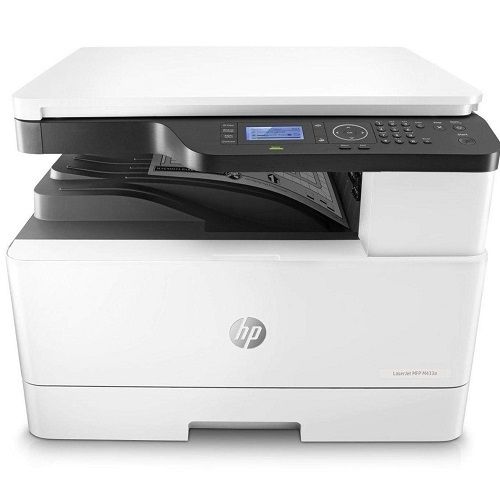
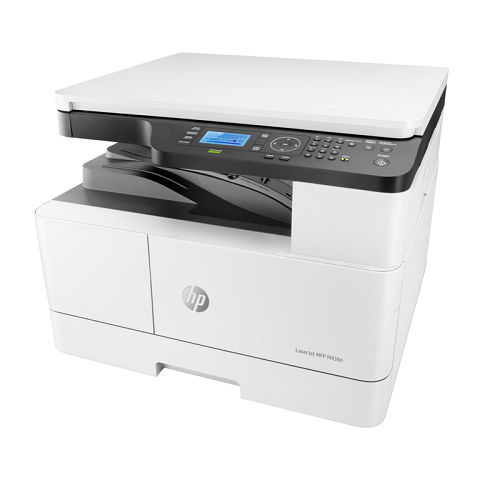
HP LaserJet MFP M438n (8AF43A) About
HP LaserJet MFP M438n (8AF43A) All tech specs | Functions | Print, Copy, Scan |
| Print speed black (ISO, A4) | Up to 22 ppm |
| First page out black (A4, ready) | As fast as 8.3 sec |
| Paper handling input, standard | Tray 1: 100 sheet; Tray 2: 250 sheet |
| Paper handling output, standard | Up to 250 Sheets |
| Paper handling output, optional | No |
| Finished output handling | No |
| Media types | Plain, Mid-weight, Light, HP LaserJet, Coloured, Preprinted, Recycled, Intermediate, Prepunched |
| Media sizes supported | A3; A4; A5; A6; B4 (JIS); B5 (JIS); 8K; 16K; Oficio 216x340mm |
| Media sizes, custom | Tray 1: 98 x 148 to 297 x 432 mm; Tray 2: 148 x 210 to 297 x 354 mm |
| Scanner type | Flatbed |
| Scan file format | PDF, JPEG, TIFF |
| Enhanced scanning resolution | Up to 4800 4800 dpi |
| Scan resolution, optical | Up to 600 dpi |
| Scan resolution, hardware | Up to 600 600 dpi |
| Scan size, maximum | 297 x 432 mm |
| Scan speed (normal, A4) | Up to 33 ipm (black and white); Up to 33 ipm (colour) |
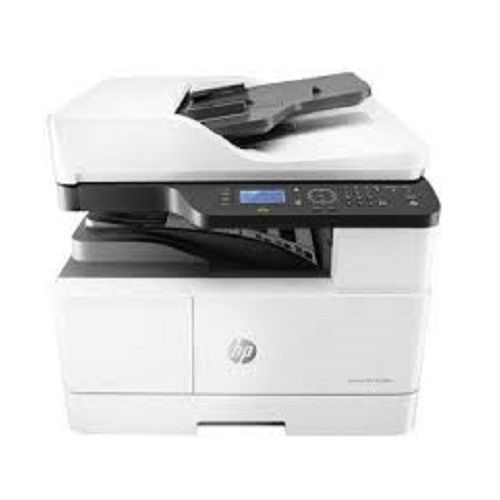
Fast, Reliable Monochrome PrintingThe HP LaserJet MFP M438n delivers crisp monochrome printouts at speeds up to 22 pages per minute (A4). Its first page-out time of just 8.3 seconds ensures your documents are ready quickly, even for demanding environments. Engineered with a monthly duty cycle of up to 50,000 pages, it's ideal for offices that require both high performance and consistent output.
Versatile and Intuitive OperationWith print, scan, and copy functions plus a straightforward 2-line LCD control panel, the MFP M438n streamlines daily tasks. Its input and output trays each hold 250 sheets, and the device accommodates a variety of paper types, including envelopes and labels. The advanced 600 x 600 dpi resolution ensures top-quality scans and crisp copies for business documents.
Robust Design with Energy EfficiencyDesigned for durability, the HP M438n is engineered for seamless integration into office or business workflows. It features energy-saving modes, a fast warm-up time, and connectivity options through Ethernet or USB 2.0. The device's build quality and memory capacity support large print jobs and multi-user environments, making it suitable for dealers, distributors, and service providers across India.
FAQ's of HP LaserJet MFP M438n (8AF43A):
Q: How do I set up the HP LaserJet MFP M438n for the first time?
A: Begin by unpacking the device and connecting the standard power cord. Install the HP Original Toner Cartridge (W1332A), load paper into the 250-sheet input tray, and connect to your PC or network via Ethernet or USB 2.0. Follow the Setup Guide and installation software CD provided to complete the initial setup on supported Windows or Linux systems.
Q: What types of media can I print and copy with this printer?
A: The HP LaserJet MFP M438n supports various media types, including plain paper, bond paper, recycled paper, labels, and envelopes. It accommodates multiple paper sizes, such as A3, A4, A5, B4, B5, letter, and legal, making it versatile for different business applications.
Q: When should I replace the toner cartridge, and which model should I use?
A: You should replace the toner cartridge when print quality declines or when prompted by the printer's display. The compatible toner for this model is the HP Original Toner Cartridge (W1332A), specifically designed for the M433/437/438 series.
Q: Where can I use the HP LaserJet MFP M438n efficiently?
A: This multifunction printer is ideal for office, business, and commercial environments that demand reliable black-and-white printing, copying, and scanning. Its durability and performance also make it suitable for dealers, distributors, and service providers in India.
Q: What benefits does the network-ready feature provide?
A: The Ethernet connectivity allows multiple users to access the printer on the same network, streamlining workflow and reducing wait times. It's particularly advantageous in collaborative or multi-user office settings, enhancing efficiency and productivity.
Q: How does the energy-saving function work on this model?
A: The MFP M438n features automatic sleep mode and quick wake-up, consuming only 17W in sleep and 250W in ready mode. These energy-saving features lower power consumption when the printer is not actively printing, reducing operating costs and environmental impact.







 Send Inquiry


 Send Inquiry